







Lecture title glowing sea Alexander May 2024
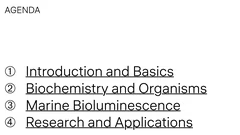
Agenda introduction biochemistry marine research
Introduction basics bioluminescence lesson
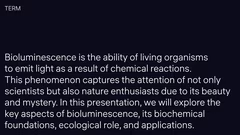
Bioluminescence chemical reactions living organisms
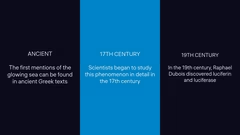
History bioluminescence ancient 17th 19th century
Biochemistry organisms bioluminescence lesson
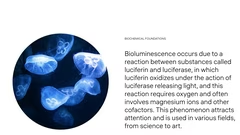
Bioluminescence reaction luciferin luciferase
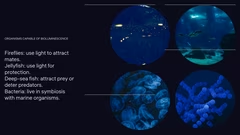
Bioluminescent organisms fireflies jellyfish fish bacteria
Marine bioluminescence lesson slide
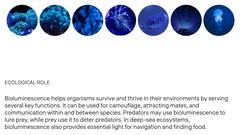
Bioluminescence ecological role survival functions
Marine environments bioluminescence organisms
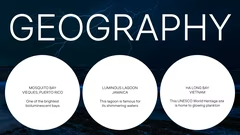
Bioluminescent locations Mosquito Bay Jamaica Vietnam
Research applications bioluminescence lesson
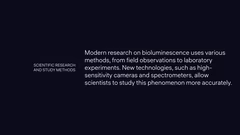
Scientific research bioluminescence methods
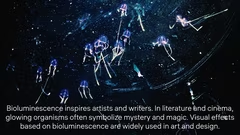
Bioluminescence art literature cinema
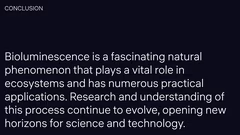
Conclusion bioluminescence ecosystems applications
Questions slide lesson bioluminescence
PRO

Bioluminescence Lecture Template

18 slides

Template for educational presentations and lectures with structured content and visual organization.

hauss
View template

About the template

Template «Lesson» is intended for creating educational presentations and lectures. It allows structuring information into logical sections, includes text blocks, lists, and supports images and charts. The template helps to explain complex topics in an accessible manner and present research results.
Organizing complex topics

Template «Lesson» helps to break down complex topics into logical sections. For example, during a lecture on bioluminescence, you can create sections about the introduction, biochemical foundations, ecological role, and practical applications. Each section can contain key points, definitions, and examples to help the audience better understand the material. The template supports both text and visual content, which improves comprehension.

Increasing audience engagement

With the «Lesson» template, you can make the learning process more engaging. Use real-life examples like bioluminescent bays in Mosquito Bay or the Luminous Lagoon to illustrate the topic. Visual materials such as maps and photos of bioluminescent organisms (fireflies, jellyfish, deep-sea fish) will attract attention and make the information more memorable. Combining text and visuals caters to different learning styles and keeps the audience engaged throughout the presentation.

Using the template in different fields

The «Lesson» template is versatile and applicable in various disciplines. In biology, it can be used to explain ecological processes and biochemical reactions. In environmental science, the template helps to demonstrate the role of bioluminescence in marine ecosystems. In art and design courses, it can show how bioluminescence influences creativity. The template is suitable for both academic and informal educational settings.

Improving information retention

The structured format of the «Lesson» template facilitates better information retention. Dividing the material into sections such as agenda, key terms, and conclusions helps guide the audience systematically through the content. Including timelines or historical context, for example, the discovery of luciferin and luciferase, adds depth to the presentation and helps link new information to what the audience already knows. Bullet points and lists on slides make key information easy to identify and remember.



FAQ

  • What is a presentation template?

    A template is a pre-designed slide structure with layout, colors, and styling that you can customize for your needs.

  • What does it mean to create a presentation?

    A presentation is a way of delivering information to an audience in a clear and accessible manner, without overwhelming them with new knowledge. A good presentation should be easy to understand, and this can be achieved using various software tools.

  • How to properly structure presentation slides?

    Each slide should focus on a single main idea. Use headings, brief bullet points, and visuals to support it. Group slides logically so that information flows sequentially.

  • How should text be formatted in a presentation?

    Use large fonts, avoid long paragraphs, and highlight key points. Ideally, keep 6–7 lines of text per slide. Ensure high contrast between the background and text.

  • How can I make a presentation easy to understand?

    Break information into sections, use headings, concise bullet points, and visuals. Follow a clear structure: introduction → main content → conclusions.