

















global IT community COMPASS©
IT specialists founders investors
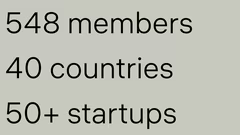
548 members 40 countries
community members discussing
knowledge exchange community forums
imposter syndrome Munich discussion
skill development community courses
presentation results discussion
professional relationships community
community photo memory
community support mentors
sunset conversations community
Pasha AI photo editing service
Margot toddler programming app
Rocha rooftop gardens project
additional community members
community photographs showcase
community COMPASS logo
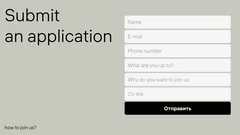
join community application
community contact email

Global Community Showcase

20 slides

A template for presenting information about communities, showcasing membership, activities, benefits and member success stories.

hauss
View template

About the template

The Community template is intended for presenting information about professional and interest-based groups. It helps visualise membership, activities, benefits and member achievements. The template includes text blocks and images to showcase community goals, events, member stories and joining instructions. It can be useful for clubs, online communities, professional associations and other groups that want to attract new members and engage existing ones.

Presenting the community

Start the presentation with a slide that reveals the community's mission. Choose visuals that convey the idea of unity, for example, a map with the locations of participants or images illustrating joint work. Include key statistics: the number of members and the geographical scope of the community's activities. This will help to show the scale of the group's work.

Highlighting the advantages of membership

Use the template to show what the community offers its members. Create slides listing specific benefits: access to knowledge, organisation of events, development of skills, networking. Describe past events: forums, meetings, hackathons. Show how the community helps to solve problems and achieve goals through mentoring and mutual support. Use bullet points to make the information easier to perceive.

Presenting member achievements

Devote several slides to the successes of community members. Include brief descriptions of people and their projects, as well as metrics showing the impact of their work. For example, you can tell the story of an entrepreneur who launched a startup or a developer who created an innovative application. Such stories show the positive influence of the community and inspire others to get involved. Combine text and images to make the stories more engaging.

Attracting new members

End the presentation with information on how to join the community. Create clear slides with joining instructions, contact details and application information. Add a call to action that motivates people to take the next step. You can also include quotes from current members to increase credibility. Finish on a positive note, emphasising the friendly and supportive atmosphere of the community and inviting new people to join its success story.

Other ideas for your presentations

FAQ

  • Why shouldn’t you just read the slide text?

    The audience quickly loses interest and engagement drops. Slides should complement the speech, not duplicate it.

  • What does it mean to create a presentation?

    A presentation is a way of delivering information to an audience in a clear and accessible manner, without overwhelming them with new knowledge. A good presentation should be easy to understand, and this can be achieved using various software tools.

  • How to properly structure presentation slides?

    Each slide should focus on a single main idea. Use headings, brief bullet points, and visuals to support it. Group slides logically so that information flows sequentially.

  • How should text be formatted in a presentation?

    Use large fonts, avoid long paragraphs, and highlight key points. Ideally, keep 6–7 lines of text per slide. Ensure high contrast between the background and text.

  • How to quickly prepare a presentation?

    Use a ready-made template and select 5–7 main slides. Focus on key facts and striking examples. Don’t aim for perfection — a clear, ready version is better than a delayed, overloaded one.