Four approaches to a single task
The list of programs quickly becomes outdated, but the approach class remains, so it is more convenient to compare classes. Third-party services in the text serve as examples of a class, not a rating.
Classic Editor
The work begins with an empty canvas: the arrangement of elements, alignment and color combinations are done by the author himself. The structure and order of the slides are also assembled manually.
Design constructor with templates
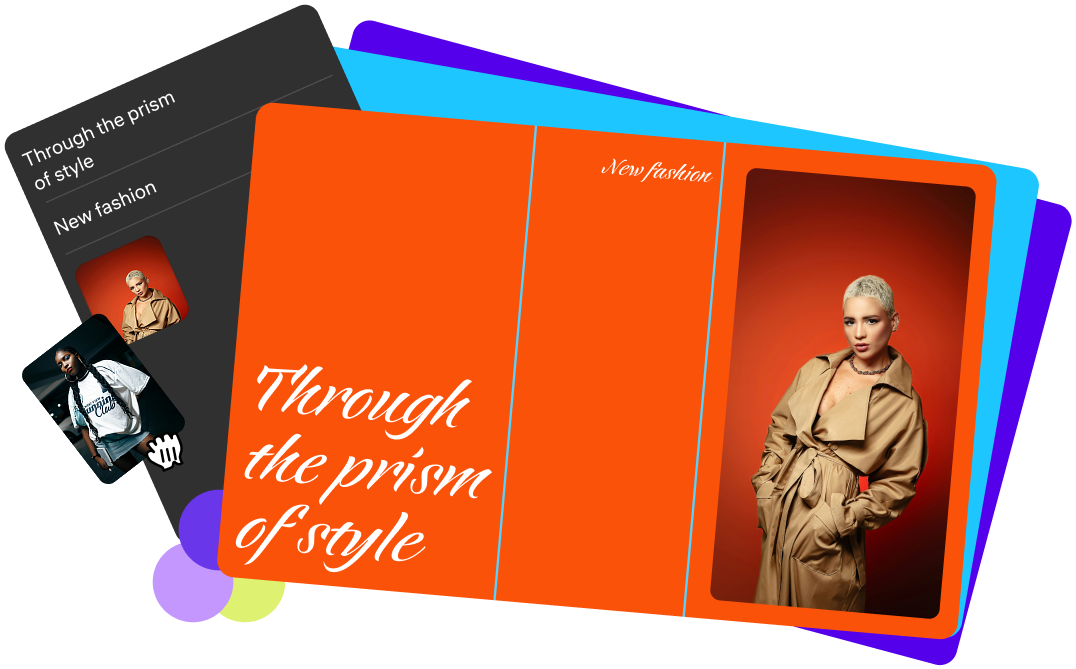
The author selects a template from the library and inserts his text into it; each slide is adjusted to the content manually. The design has already been set by the template, and the author has to arrange the material on the slides himself.
Presentation as a file
This is not a separate program, but a delivery method: the finished file leaves as an attachment in an email. Only the recipient knows what happens to him next.
Designer with AI
"Fokus" Art. Lebedev Studio creates a presentation from a theme, a finished text, a link to a page or a file in PDF, Word, PowerPoint or TXT format and forms it automatically. The finished presentation opens via the link.
The approaches do not exclude each other. The presentation is assembled in a classic editor and sent as a file, the poster is made in a design designer, and slides from the finished text are laid out by an AI designer. Each approach closes its own piece of the task, and the question of choice is: which of the pieces is the most expensive in a particular case.
Comparison by start and design
The amount of manual work is determined by where the creation begins and who arranges the elements, not by which program is open on the screen.:
| Approach | Where does the work start | Who arranges the elements and selects the colors |
|---|---|---|
| Classic editor | Blank canvas | Author: arrangement, alignment and color combinations |
| Design designer with templates | Ready-made template | The author substitutes the text and adjusts each slide |
| File by mail | Ready-made presentation from any editor | Does not change: the file goes as it is |
| Designer with AI | Theme, text, link or file | The program puts the material on slides, the author edits the structure before formatting |
It follows from the table that the approaches divide the same work between the author and the program: the layout of the material on slides, the arrangement of elements and the selection of colors. The more of this the program takes on, the less time is spent on the technical part and the more is left for the content.
What doesn't change any approach
The meaning of the presentation remains the author's task: what to say, in what order, and why. The editor, template, and AI manage the layout and layout, but they do not replace the answer to the question "what does the author want from the viewer?" Therefore, a weak thought in any approach gives a weak presentation, no matter how much time it takes to design. The structure of the presentation is discussed in more detail in the article about preparing for a speech.
What happens after sending
For a presentation file, the path ends when it is sent: the author does not see if the file was opened, who viewed it, and how, and does not receive a response from the viewer. It doesn't matter for a lecture or an internal report, it becomes the main thing for a commercial offer or a pitch: the next step of the author depends on what is known about the review, for example, a repeat letter or a call.
When each approach is appropriate
Live performance with original graphics
The classic editor is suitable when the author is fluent in the program, and the slides are built around their own diagrams, photos, and precise layout. Manual placement is not a disadvantage here, but a tool: each element stands where the author put it. The price of control is the same: the time for alignment and colors increases with the number of slides. For a report consisting of several slides with unique graphics, this price is justified; for a series of presentations of the same type from ready-made texts, it is repeated anew each time.
One style on slides, posters and on social media
A design constructor is justified when one style is needed not only for a presentation, but also for a poster or publication: templates in such services are assembled for different formats. At the same time, the slides remain the work of the author, the text is inserted into the template, and each slide is adjusted to the content.
Working as a group
When several people are working on the material, the assembly method decides: slides are written together or one author puts together a presentation from the finished text. In the AI constructor, participants are invited to the workspace by email or by following a link.
A document for a narrow circle
A file by mail is suitable when the presentation is read by one recipient or a small group and the author does not need a response: approval, archive, attachment to the letter. If the presentation is supposed to lead to an application or a conversation, the closed sending channel gets in the way: the author won't know if it has reached the reader. For more information about the difference between showing and reading, see the article about types of presentations.
Finished text without slides
The AI constructor closes the situation when the content has already been written (commercial offer, report, website page, lecture), but there are no slides. The layout of the material on the slides and the design are transferred to the program, the author remains with the structure and meaning. This scenario is discussed in the article about creating a presentation from text.
Task #: a commercial offer that should be returned as an application
The description of the offer is in a Word document. The client needs a presentation, and the author needs to know if it has been opened and if the client has submitted a request. All four approaches are applicable to such material, but they differ in the number of manual steps and what remains after sending. In "Fokus" the path looks like this:
- The basis. The Word document is loaded as is (the theme, link to the page, and PDF, PowerPoint, and TXT files are also suitable). When creating, the text volume, language, and style are selected, such as business style.
- Structure. Before generation, slides are rearranged, superfluous ones are removed, missing ones are added: the order of the sentence is checked while there is no design yet.
- Style. The palette and font are selected, the elements on the slides are arranged automatically, the color combinations are selected without the participation of the author.
- Link and form. The presentation opens via a link and adjusts to the client's device. In one click, it turns into a website where an application form is added.
Instead of an attachment, the client receives a link, and the request is sent via a form, not in a reply letter. The form collects requests, contacts, and feedback, so the client's response is recorded in the same place where he viewed the offer and is not lost in the correspondence. The Fokus statistics for the selected period show views, sessions, traffic sources, link clicks, and form conversions.
Same steps in other approaches
In a classic editor, the structure is first written separately, then blank slides are created, each one is filled in manually, the colors and alignment remain on the author, and the finished file goes away as an attachment. In the design wizard, an empty canvas is replaced with a template, but the text from the document is substituted slide by slide. The difference is not in the quality of the slides, but in the step at which the work moves from the author to the program.
Four questions before choosing
The choice of approach comes down to answering questions about the task, not the program.:
- Who's watching and where. A room, a letter, or a website: it depends on whether you need a file or a link, and how much text the slide carries. A slide for showing carries less text than a slide for reading.
- Whether an answer is needed. A request, comment, or call requires a path that leaves a trace. The file leaves no such trace.
- Is there a ready-made text. When the text is there, the manual slide layout repeats the work already done. When it's not there, you have to start with the goal and audience, as in fundamentals of presentation preparation.
- What is the design. If the design is the content (designer's portfolio, author's graphics), you need the control of a classic editor and an empty canvas.
If the answers point to the finished text, link, and application, the first step is specific: uploading the document to the constructor and selecting the text volume, language, and style.